
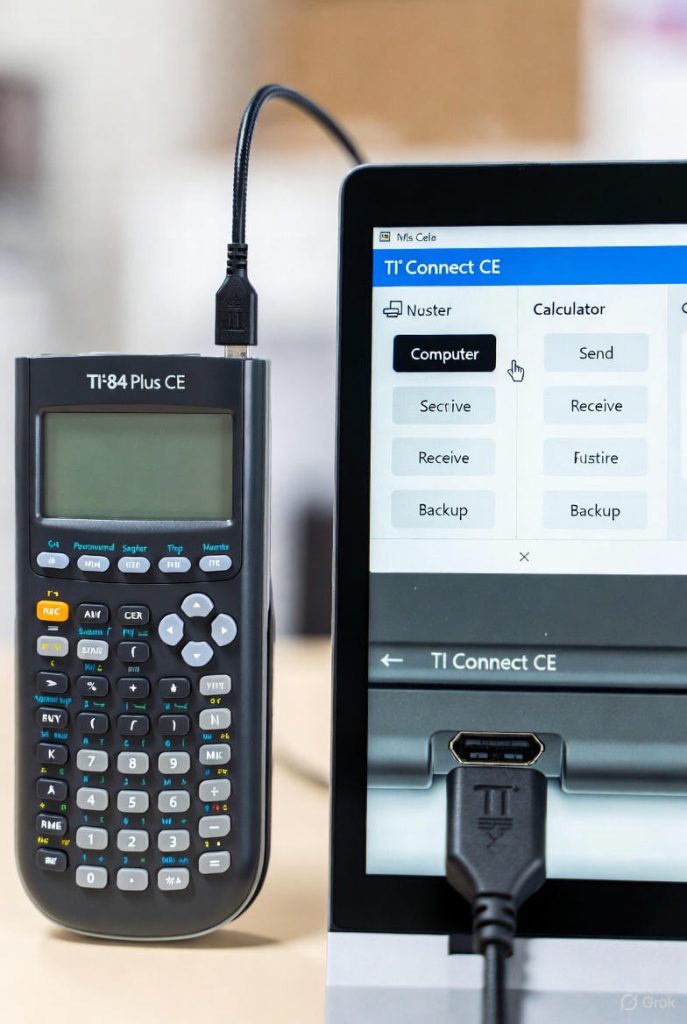
The Texas Instruments TI 84 series, which includes the TI 84 Plus, TI 84 Plus Silver Edition, TI 84 Plus C Silver Edition, and TI 84 Plus CE, remains one of the most widely used graphing calculators in high schools and universities worldwide. Despite the rise of tablets, smartphones, and powerful computer algebra systems, the TI 84 calculator continues to dominate standardized testing environments and many classrooms because of its reliability, approved status on exams, and extensive library of existing programs and applications. One question that arises repeatedly among students, teachers, and hobbyists is whether it is possible to move data (programs, lists, matrices, graphs, applications, and backups) between the calculator and a personal computer.
The Evolution of Connectivity in the TI 84 calculator Family
When the original TI 84 Plus was released in 2004, it inherited the same physical link port as its predecessors going back to the TI 82. This miniature 2.5 mm I/O port, officially called the “USB Mini-B” on later monochrome models and the proprietary “TI Connector” on earlier ones, allowed calculator-to-calculator linking with a special gray cable. At launch, computer connectivity required either the separate purchase of the TI Connect software suite and a specific serial or USB cable (the TI-Graph Link) or the more expensive TI 84 Plus Silver Edition with its built-in USB port and the newer TI Connectivity Kit.
By the time the TI84 Plus C Silver Edition appeared in 2013 and the TI 84 Plus CE in 2015, Texas Instruments had standardized on a Mini-USB port (and later Micro-USB on some CE revisions) that behaved exactly like any other USB mass-storage or serial device when the proper drivers and software were installed. The shift from proprietary cables to industry-standard USB represented a major leap in convenience and effectively eliminated the need to buy expensive official cables for most users.
Official Methods Provided by Texas Instruments
Texas Instruments has always maintained its own ecosystem for computer connectivity, and the company continues to support it actively even in 2025.
TI Connect CE Software
The modern cornerstone of official connectivity is TI Connect CE, a free desktop application available for both Windows and macOS. The software is deliberately kept lightweight and focused on the exact tasks most users need: sending and receiving programs (.8xp, .8xg), applications (.8ca), lists (.8xl), matrices, backups of the entire calculator memory, operating system updates, and screen capture.
When a TI84 Plus CE or any colour-screen variant is connected via its USB cable, TI Connect CE recognizes it immediately in most cases. The interface presents a clean drag-and-drop explorer on the left (the computer side) and a representation of the calculator’s memory on the right. Users can simply drag a program file onto the calculator icon, and the software handles conversion, naming conflicts, and archive status automatically.
For monochrome TI 84 Plus models, the same software works, though older operating systems may require the legacy TI Connect (non-CE) version for full compatibility.
TI-SmartView CE Emulator Integration
Many teachers and advanced users pair the physical calculator with the TI-SmartView CE emulator, a separate paid program that displays a large on-screen replica of the calculator. SmartView CE can receive files directly from a connected physical calculator and can also send files back, making it a powerful tool for classroom projection while still allowing real hardware interaction.
OS Updates and App Installation
Texas Instruments periodically releases operating system updates that add features, fix bugs, or improve compatibility with new Apps. These updates (often several megabytes in size) can only be installed reliably through TI Connect CE. The same pathway is used to install official Apps such as Polynomial Root Finder, Periodic Table, or Cabri Jr.
Third-Party Solutions That Often Work Better
While the official software is perfectly functional, many power users quickly migrate to third-party tools that offer greater speed, reliability, and features.
TILP II (TI Linking Program)
For users on Windows, macOS, or Linux, TILP II has been the gold standard for more than fifteen years. Written originally for older calculators, it received full support for the entire TI 84 family, including the CE. Unlike TI Connect CE, TILP works natively on Linux without Wine, supports direct folder backups, can send entire groups of files in one operation, and rarely exhibits the random disconnects that sometimes plague the official software.
TI Connect CE Command-Line Tools and Scripting
Advanced users who want automation often discover that TI Connect CE installs a set of command-line utilities alongside the graphical program. These tools allow batch sending of files, automated backups before exams, and integration into larger programming projects.
Chromebook and Web-Based Options
Although Texas Instruments has not released an official web connector, community projects such as Web TI 84 and jsTIfied combined with WebUSB have made it possible to connect a TI 84 Plus CE directly from a Chrome browser on a Chromebook. The experience is still experimental, but it works well enough for occasional program transfers.
Physical Cable Requirements
The cable situation is now remarkably simple.
For all TI 84 Plus CE models sold since 2015, any standard Micro-USB cable (the same one used for older Android phones) works perfectly. The calculator appears as a standard USB device, and no special driver is required on modern operating systems beyond the TI software itself.
Original TI 84 Plus and TI 84 Plus Silver Edition calculators with the Mini-USB port can use any Mini-USB cable, though many users still prefer the official silver TI Connectivity USB cable because it is heavily shielded and extremely durable.
The oldest monochrome TI 84 Plus units with the proprietary round I/O port require either the old gray calculator-to-calculator cable plus a black Graph Link USB adapter or the rarer direct USB Graph Link cable that TI sold separately.
Understanding File Types and Compatibility
Not every file written for one TI 84 model will run unmodified on another, and understanding the differences prevents frustration.
Programs written in TI-Basic (.8xp) are almost universally compatible across the entire z80-based family (TI 83 Plus through TI 84 Plus C Silver Edition). The same program usually runs without changes on a TI 84 Plus CE, though the CE uses a different processor (eZ80) and a newer operating system, so some low-level PEEK/POKE commands or timing loops may behave differently.
Assembly programs and Ion/Ion-compatible shells written for the z80 calculators will not run natively on the TI 84 Plus CE without using the CESium shell or similar compatibility layer.
Applications (.8ca) are model-specific. An App designed for the monochrome TI 84 Plus will not install on a CE, and vice versa.
The operating system itself is not interchangeable. Attempting to install a CE OS onto a non-CE model will brick the calculator, sometimes permanently.
Backup Strategies and Why They Matter
One of the most compelling reasons to establish computer connectivity is the ability to create complete memory backups. A single mistaken keypress or a low battery during a critical moment can wipe years of custom programs and data. With TI Connect CE or TILP, creating a backup takes less than thirty seconds and produces a single file that can restore the calculator to its exact state at that moment, including RAM, archive memory, and all settings.
Many competitive math and programming students maintain multiple backups: one before every major tournament, one after adding new programs, and one stored off-site in cloud storage.
Transferring Data Without a Cable: Alternative Approaches
Although direct USB remains the fastest and most reliable method, several cable-free techniques exist.
Sending Programs via QR Codes (TI 84 Plus CE only)
Since OS 5.4, the TI 84 Plus CE can display a QR code representing any program or list in memory. Pointing the built-in camera of the TI-Innovator Hub or a smartphone running the TI-CE QR code reader app at the screen captures the data instantly. While limited to roughly 3 KB per QR code (and therefore impractical for large programs), this method is popular for quickly sharing short utilities in a classroom where cables are not allowed.
Using the Calculator as a Mass-Storage Device (Limited)
When connected, the TI 84 Plus CE does not expose its flash memory as a drive letter like a USB stick, contrary to some users’ hopes. Texas Instruments deliberately chose a custom protocol to prevent accidental deletion of the operating system. Older monochrome models never offer mass-storage mode at all.
Emailing or Cloud Transfer via Intermediate Devices
A common workaround in restricted environments is to connect the calculator to a laptop briefly, pull the needed files, upload them to Google Drive or Dropbox, and then retrieve them later on another machine.
Real-World Use Cases That Justify the Effort
High-school students preparing for the SAT, ACT, or AP Calculus exams often accumulate dozens of specialized programs (quadratic solvers with exact radical output, Riemann sum visualizers, 3D graphing tools) that would take hours to re-enter manually. Being able to restore an entire library in under a minute is invaluable.
Math and science teachers frequently distribute custom programs or data lists to an entire class. With a single USB hub, one computer can push the same file to thirty calculators in a few minutes.
Programming enthusiasts who write Axe, Assembly, or C for the TI 84 Plus CE rely on rapid compile-transfer-test cycles that would be impossible without reliable computer linkage.
Competitive mathematics teams at tournaments such as ARML or PUMaC treat their calculators like race cars; every byte of archived code is optimized, and full backups are made before and after each round.
Troubleshooting Common Connection Problems
Even in 2025, connectivity issues remain the single largest source of frustration.
The most frequent culprit is a damaged or low-quality cable. Micro-USB cables designed only for charging often lack the data lines needed for communication.
On Windows machines, outdated or conflicting USB drivers can prevent recognition. Reinstalling TI Connect CE usually resolves this, as the installer includes the correct libusb drivers.
Mac users running macOS Ventura or later sometimes encounter permission prompts that must be allowed in System Preferences → Security & Privacy.
Some school-managed computers disable USB storage devices entirely for security reasons, in which case students must use personal laptops or ask a teacher with administrative rights.
Battery level matters more than most users realize. A TI 84 Plus CE with less than 20 % charge will often refuse computer communication to protect against data corruption during transfer.
The Future of TI 84 Connectivity
Texas Instruments has shown no signs of abandoning the TI 84 platform; if anything, the release of the TI 84 Plus CE Python edition in 2021 and continuing OS updates into 2025 demonstrate ongoing commitment. Rumors persist of a future model with USB-C and native mass-storage capability, but nothing official has appeared.
Meanwhile, the open-source community continues to reverse-engineer the communication protocol. Projects such as CEdev, the C toolchain for the CE series, already allow compilation and one-click sending from within Visual Studio Code, hinting at a future where the official TI software may become optional rather than mandatory.
Conclusion
Transferring data between a personal computer and any model in the TI 84 family is not only possible but straightforward, reliable, and supported by multiple mature tools ranging from Texas Instruments’ own free software to sophisticated third-party solutions. Whether the goal is simple backup, rapid program distribution in a classroom, competitive optimization, or serious calculator programming, the barriers that existed fifteen years ago have largely disappeared.