
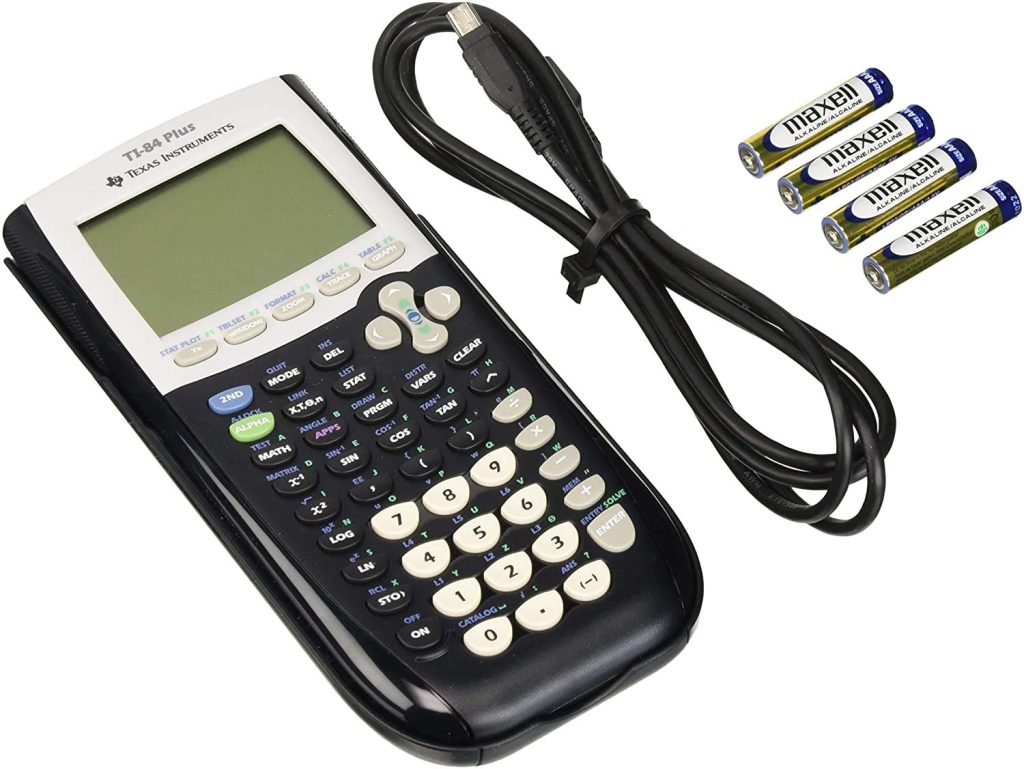
For more than two decades, the ti 84 series has been one of the most widely used graphing calculators in middle schools, high schools, and colleges. Its presence in mathematics and science classrooms has made it more than just a convenient electronic device it has become a foundational tool for learning algebra, calculus, statistics, trigonometry, physics, engineering, and standardized test preparation.
The Texas Instruments ti 84 calculator is recognized for its balance of functionality and accessibility, providing the robust capabilities students need without overwhelming them with unnecessary complexity. Understanding what the ti 84 calculator is, how it works, and why it became so essential in education requires looking beyond its buttons and menus. It is not just a calculator; it is a complete mathematical environment used for visualization, modeling, and even programming.
An Overview of the TI-84 Calculator
The TI-84 calculator is a family of graphing calculators produced by Texas Instruments, primarily designed for mathematics and scientific computation. As a graphing calculator, it can plot functions, solve equations, perform statistical analysis, and run programs. Unlike basic calculators, which handle arithmetic and simple algebraic operations, the TI-84 is equipped to handle advanced mathematical functions and data visualization.
Why the TI-84 Exists
The TI-84 was created to provide a standardized, programmable, exam-approved graphing calculator. Its purpose includes:
- Supporting students through progressively advanced math courses
- Providing graphing capability for better visual learning
- Offering a consistent interface across classes and textbooks
- Meeting the technical requirements of standardized tests
- Empowering students and professionals to solve complex problems
The TI-84 is not only practical but has become a common part of the academic workflow.
The TI 83 Legacy and How It Led to the TI-84
Before the TI-84 series, Texas Instruments produced the TI-83, one of the most iconic graphing calculators. The TI-84 retained compatibility with TI-83 software and programs but added:
- Faster processors
- More memory
- A USB port
- Improved screen quality
- Additional applications
Essentially, the TI-84 was designed to continue the popularity of the TI-83 while addressing technological limitations of the earlier model.
The Evolution of the TI-84 Series
The Original TI-84 Plus
The TI-84 Plus was introduced as the modern successor to the TI-83 Plus. It used similar design principles, meaning students and teachers familiar with the earlier model could adapt easily. This calculator offered:
- Enhanced processing speed
- A clearer monochrome display
- Preinstalled applications
- Improved memory capacity
The TI-84 Plus quickly became the standard graphing calculator recommended by schools.
The TI 84 Plus Silver Edition
The Silver Edition provided upgrades including:
- A more powerful processor
- More built-in memory
- Additional preloaded applications
- A distinctive silver-colored faceplate
Although the hardware improvements were meaningful, the primary advantage was the increased memory capacity for storing programs, lists, and apps.
The TI 84 Plus C Silver Edition
This version introduced a color display, shifting from the monochrome screens that defined earlier models. The color display made graphing much more intuitive by:
- Showing multiple functions in different colors
- Enhancing statistical plots
- Improving readability
- Allowing color-coded annotations
The TI-84 Plus C marked the transition from monochrome calculators to modern graphing screens.
The TI 84 Plus CE
The CE (Color Edition) refined everything introduced in earlier models:
- High-resolution color screen
- Thinner and lighter body
- Rechargeable battery
- Faster processing
This model is still widely used today and remains a standard requirement for numerous math and science courses.
The Physical Design and Interface of the ti 84
The Exterior Layout
The ti 84’s design focuses on simplicity and clarity. Its interface includes:
- A large rectangular screen
- A directional pad
- Numeric keypad
- Function keys under the screen
- Standard math operations
- Secondary and alpha functions
Each button often performs multiple actions through key combinations, maximizing the calculator’s efficiency.
The Screen
Depending on the model, the screen may be monochrome or color. The high-resolution color screens found in the CE versions allow:
- Clearer graphs
- Smoother lines
- Better contrasts
- Detailed images
This visual improvement has made graphs more understandable for students.
The Keyboard Layout
The ti 84 keyboard is divided into functional sections:
- Top Row: Graphing buttons such as Y=, WINDOW, ZOOM, TRACE, GRAPH
- Second Row: MODE, DEL, ALPHA, MATH
- Middle Section: Arrows for navigation and menus
- Bottom Section: Numbers 0-9 and arithmetic operations
The standardization of this layout across models helps students switch between versions without learning new controls.
Core Features of the TI-84 Calculator
Graphing Functions
Graphing is the TI-84’s defining feature. Students can graph:
- Linear functions
- Quadratic functions
- Exponential functions
- Trigonometric functions
- Logarithmic functions
- Piecewise functions
- Parametric equations
- Polar functions
The graphing tool can display intersections, maximums, minimums, zeros, and more.
Equation Solving
The TI-84 offers built-in solvers for:
- Polynomial equations
- Systems of equations
- Numeric solving (via the “Solver” app)
- Simultaneous equations in two or three variables
- Matrix operations used for linear systems
This allows students to check work and explore mathematical concepts more deeply.
Statistical Capabilities
Statistics is one of the ti 84’s strongest subjects. It supports:
- One- and two-variable statistics
- Regressions (linear, exponential, logistic, power, quadratic)
- Histograms
- Boxplots
- Scatterplots
- Probability distributions
- Hypothesis tests
- Confidence intervals
These tools are critical for AP Statistics and college-level data courses.
Apps and Add-Ons
The TI-84 includes many built-in applications such as:
- Cabri Jr. (geometry)
- Polynomial Root Finder
- Probability Simulator
- Finance App
- Inequality Graphing
- Conic Graphing
These apps allow specialized mathematical functions that expand the calculator’s role far beyond arithmetic.
Programming Capabilities
Students can write programs in TI-Basic. This enables:
- Custom functions
- Automation of multi-step calculations
- Creation of small games
- Tools for classroom projects
Some students use the calculator as an introduction to programming.
Understanding Menus and Modes
The MODE Menu
The MODE menu allows you to set the environment in which the calculator performs calculations. Options include:
- Degree or Radian
- Normal, Scientific, or Engineering notation
- Function, Parametric, or Polar graphing
- Sequential or Simultaneous graphing
Choosing the correct mode is essential for accurate results.
The MATH Menu
This menu includes operations such as:
- Roots and powers
- Fractions
- Calculus tools (derivatives, integrals)
- Matrix functions
- Numeric solvers
Students use this menu frequently during algebra and calculus courses.
The STAT Menu
The STAT menu offers:
- Data entry
- Statistical calculations
- Graphing statistical plots
- Performing regressions
It is one of the most powerful sections of the TI-84 interface.
Applications of the ti 84 in Education
Algebra Courses
The TI-84 helps with:
- Solving equations
- Factoring
- Graphing functions
- Understanding slopes and intercepts
- Visualizing transformations
Algebra students benefit from seeing immediate results on the graph screen.
Geometry
Although geometry is not the TI-84’s primary focus, it assists with:
- Coordinate geometry
- Transformations
- Conic sections
- Distance and midpoints
- Vector operations
Geometry apps enhance these abilities further.
Trigonometry
TI-84 features support trigonometry by:
- Calculating sine, cosine, tangent
- Graphing periodic functions
- Finding phase shifts and amplitude
- Visualizing inverse functions
- Solving trigonometric equations
Switching between degree and radian mode is essential.
Pre-Calculus and Calculus
Calculus support includes:
- Graphing limits
- Derivatives
- Integrals
- Solving complex equations
- Parametric and polar functions
- Sequences and series
These tools help students transition from numerical to conceptual understanding.
Statistics and Probability
The TI-84 is widely used for statistics coursework by offering:
- Distribution models
- Hypothesis testing
- Confidence intervals
- Data representation
- Random sampling
- Regression modeling
These functions are essential for AP Statistics.
Physics and Engineering
Beyond math, the TI-84 assists in:
- Vector arithmetic
- Kinematics
- Circuits calculations
- Wave modeling
- Data analysis from experiments
Its versatility makes it useful for STEM students.
The TI-84 as a Tool for Standardized Testing
Exam Approvals
One reason the TI-84 remains dominant is that it is allowed on many standardized tests, such as:
- SAT
- ACT
- AP exams (Math and Science)
- Many state exams
Its acceptance ensures students can rely on a single calculator throughout their academic career.
Why Test Designers Trust the TI-84
Many exams require a calculator that:
- Does not have a QWERTY keyboard
- Has limited communication features
- Cannot connect to the internet
- Provides computational support without solving problems automatically
The TI-84 fits these requirements while still offering robust functionality.
The TI 84 in Today’s Digital Age
Competing With Modern Technology
In an era of:
- Smartphones
- Tablets
- Computer software
- CAS systems
the TI-84 remains relevant because it provides equal access in classrooms where technology policies differ.
Why Schools Still Choose the TI-84
Schools continue using the TI-84 because:
- Teachers are trained to use it
- Curriculum materials are written around it
- It ensures equal tools for all students
- It provides reliability without distractions
- It is standardized and regulated
Even as technology evolves, the TI-84 remains a stable foundation for mathematics education.
The Cultural Impact of the TI-84
The Calculator as a Learning Rite of Passage
For many students, purchasing a TI-84 symbolizes entry into higher-level mathematics. It represents:
- Academic growth
- Preparedness for advanced studies
- A shared cultural experience in education
Generations of students have used it, cementing its place in academic tradition.
The TI-84 in Popular Culture
The TI-84 has appeared in:
- Classroom scenes in films
- Online communities
- Memes and jokes
- Educational content and tutorials
Its iconic design is instantly recognizable.
A Community of Enthusiasts
Online communities support:
- Program sharing
- Custom games
- Modifications
- Tutorials
This expands the calculator’s role beyond simple coursework.
Strengths and Limitations of the TI 84
Strengths
The TI-84 excels in:
- Reliability
- Accessibility
- User-friendly interface
- Educational compatibility
- Standardized testing acceptance
- Long battery life
- Broad functionality
Its balance of power and simplicity is unmatched.
Limitations
Despite its strengths, it has limitations:
- Slower than modern CAS calculators
- Limited resolution compared to tablets
- No internet or Wi-Fi
- Physically bulky compared to phones
- Expensive relative to basic calculators
However, these limitations are often intentional to meet exam requirements.
The Future of the TI-84 Family
How Long Will the TI 84 Remain Relevant
Given its deep integration into education, the TI-84 is likely to remain important for years to come. Its role in standardized testing ensures continued use.
Potential Future Upgrades
Possible enhancements may include:
- Improved color screens
- Faster processing
- Expanded memory
- More intuitive interfaces
Yet any upgrade must maintain exam compliance.
Conclusion
ti 84 calculator is far more than a mathematical tool—it is an educational standard that has shaped learning for decades. Its design, versatility, reliability, and universal acceptance make it an essential companion for students navigating mathematics, science, engineering, and standardized testing. From graphing functions to performing advanced statistical analyses, the ti 84 remains one of the most influential devices in academic history. Despite the rise of advanced digital tools, its legacy continues, supported by schools, educators, and millions of students around the world.