
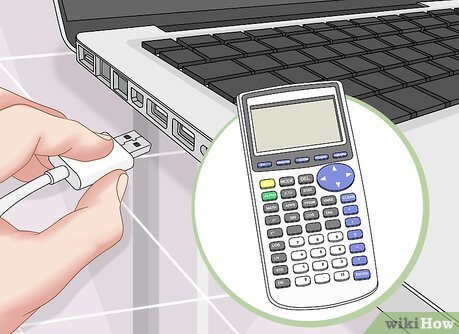
TI 84 calculator has been an indispensable tool for students, educators, engineers, and professionals for decades. Renowned for its reliability, versatility, and precision, it serves as a vital companion in both classrooms and workplaces. Over time, however, even the most robust devices can accumulate clutter, glitches, or conflicting settings. Variables, stored programs, archived applications, and customized preferences can gradually complicate operations, making it difficult to achieve smooth performance. Whether you are preparing for an examination, troubleshooting technical issues, or simply seeking a fresh start, understanding how to reset the TI-84 to its factory settings is a crucial skill.
Resetting the TI 84 can seem intimidating at first, primarily because it involves modifying memory and settings that are critical to its function. Many users fear that they may lose valuable programs or disrupt the calculator’s performance. However, with a clear understanding of the internal structure of the TI 84, the different types of resets available, and the steps involved in each, this process becomes straightforward and risk-free. This article explores the concept of resetting the ti 84 in depth, offering a comprehensive guide that blends technical insight with practical advice.
The Internal Architecture of the ti 84
The TI 84 is more sophisticated than it appears at first glance. Its memory system is divided into multiple layers, each serving distinct purposes. Random Access Memory (RAM) stores temporary variables, matrices, lists, and calculations. This memory is volatile, meaning that it holds data temporarily, but certain reset options can clear it completely. The calculator also contains archive or flash memory, where long-term files, programs, and applications are stored. Unlike RAM, this memory persists even when the device is turned off. Finally, there is settings memory, which controls user preferences such as graphing modes, angle measurement, table formatting, and display settings.
A nuanced understanding of these memory types is essential when considering a reset. Clearing RAM may resolve performance issues without affecting stored applications or important programs, whereas a full factory reset wipes all data and restores the device to its original state. Knowing which layer of memory you are affecting ensures that the reset is precise and serves your intended purpose.
Why Resetting the TI 84 May Be Necessary
There are multiple scenarios where resetting the TI 84 becomes necessary. In academic environments, standardized tests often require calculators to be cleared of all stored programs and settings. Resetting ensures compliance with such requirements, providing both fairness and a clean slate for testing conditions.
Even outside of exams, the TI 84 may begin to exhibit erratic behaviour after prolonged use. Programs may freeze, graphs may fail to render properly, or calculations may yield unexpected results due to corrupted memory or conflicting applications. In such cases, resetting the calculator can resolve these glitches efficiently, often more effectively than attempting to troubleshoot individual errors.
Another common reason for performing a reset is to manage storage and optimize performance. As students or professionals store more programs, matrices, and data, the TI 84’s available memory can become limited. Resetting clears unnecessary clutter, freeing up resources and ensuring the device operates at peak efficiency. Finally, resetting is prudent when passing the calculator to a new user. It eliminates personal data, archived programs, and customized settings, ensuring the device functions like new for its next owner.
Types of Resets in the TI 84
The TI 84 offers several types of resets, each serving different purposes. Understanding these distinctions is crucial to achieving the desired outcome without unnecessary data loss.
A RAM reset clears temporary memory, removing variables, lists, matrices, graph data, and active calculations while leaving programs and archived files untouched. This type of reset is ideal for troubleshooting minor errors, clearing memory when it becomes full, or preparing for calculations without affecting stored data.
A settings reset restores the calculator’s modes and preferences to their original factory defaults without deleting programs or data. This reset affects angle measurement, display style, graphing mode, statistical settings, and table formatting. It is a safe way to return the calculator to a familiar operational environment without losing essential files.
The full factory reset is the most comprehensive option, erasing all memory including RAM, archived programs, applications, and user-installed files. This reset is useful when the device needs a completely fresh start, for exam preparation, or when transferring ownership. It restores the TI 84 to the exact state it was in when it left the factory, removing all traces of user customization.
Preparation Before Resetting
Before performing any reset on the TI 84, careful preparation is essential to avoid accidental data loss. Backing up important programs, lists, matrices, and applications ensures that critical information can be restored if necessary. Using TI-Connect CE or similar software allows you to transfer files to a computer for safekeeping.
It is equally important to consider the purpose of the reset. Some users may need only a settings reset to resolve minor operational issues, while others may require a complete factory reset for exams or device handover. Understanding the exact goal will guide the choice of reset type and prevent unnecessary deletion of data. Additionally, the calculator’s battery should be adequately charged. Performing a reset on low power can disrupt the process and potentially leave the device in an unstable state.
Performing a RAM Reset
A RAM reset is the simplest form of clearing memory on the TI 84. It removes active variables, matrices, and lists, providing a clean working environment without affecting programs or applications stored in the archive. To perform this reset, the user accesses the memory menu via the calculator’s interface and selects the RAM reset option. Once confirmed, the RAM is cleared instantly, allowing the calculator to operate with a fresh memory slate.
RAM resets are particularly useful when the calculator displays memory full errors, experiences minor performance issues, or when previous calculations interfere with new tasks. By focusing exclusively on temporary memory, users can resolve issues efficiently while preserving long-term data.
Restoring Default Settings
Restoring the TI 84’s settings is another effective method for addressing operational inconsistencies. This process returns angle measurement, graphing modes, statistical settings, and display preferences to their original defaults while leaving programs, applications, and archived files intact.
The process involves accessing the reset menu and selecting the option to restore defaults. Once confirmed, the calculator’s operational environment returns to the factory standard, resolving issues caused by inadvertent changes in settings. This type of reset is particularly valuable for users who have customized the calculator extensively and wish to revert to a standard configuration without losing critical data.
Performing a Full Factory Reset
The full factory reset is the most comprehensive form of reset available for the TI 84. It removes all RAM data, archived programs, applications, and user-installed files, fully restoring the calculator to its original state.
Executing a full factory reset involves navigating to the reset menu, selecting the option for all memory, and confirming the action. After the reset, the TI 84 restarts with default settings and no stored data. This process is particularly useful when preparing the calculator for standardized testing, resolving persistent errors that simpler resets do not fix, or transferring the device to a new owner.
While highly effective, this reset should be approached with caution. Users must ensure that all critical data is backed up prior to initiating the reset, as files cannot be recovered once deleted.
Post-Reset Considerations
After performing any reset, users should verify that the TI 84 functions properly and reconfigure settings as necessary. Reinstalling essential applications, adjusting mode preferences, and restoring critical programs ensures that the calculator is ready for immediate use. Performing a few test calculations and graphing functions confirms that the device operates reliably.
In the case of a full factory reset, it is particularly important to reinstall applications and programs that were previously backed up. Configuring mode settings such as angle measurement, display preferences, and table formatting restores the user environment to a practical and familiar state.
Maintaining Optimal Performance After Reset
Resetting a TI 84 is not merely a corrective measure; it is also a proactive maintenance strategy. Periodically clearing unused variables, managing archive memory efficiently, and avoiding unnecessary applications ensures the device remains responsive and reliable. Regular backups protect valuable programs, and updating the operating system helps maintain compatibility with modern software.
By integrating resets into regular maintenance routines, users can prolong the functional lifespan of their TI 84 while minimizing the risk of errors and memory-related issues.
Conclusion
Resetting the TI 84 to factory settings is an essential skill for anyone relying on this versatile calculator. Whether the goal is to troubleshoot errors, prepare for an exam, free up memory, or hand the device to a new user, understanding the differences between RAM reset, settings reset, and full factory reset allows for precise, effective action.